









Brand guidelines
How the Iron Volt Electric logo, colors, type and imagery are used, taken from the brand files. A reference for anyone making something with the Iron Volt name on it.

How to read this guide
- Brand files Taken from the Iron Volt brand files, or specified by the owner.
- Website How the website applies the brand today.
- Recommended standard A common design standard, filling a gap the brand files don’t cover. Not an established Iron Volt rule.
01
Logo
One lockup: the IRONVOLT wordmark over ELECTRIC. The V in VOLT is cut by a lightning bolt.
Anatomy Brand files
- IRON in a silver gradient.
- VOLT in a gold gradient, the V cut by the lightning bolt.
- Wordmark set in Navine Semi Condensed Italic.
- Frame: a slanted silver outline around IRONVOLT.
- ELECTRIC in League Gothic Regular, widely tracked, between two short rules.
The name Brand files
The company is Iron Volt Electric, two words in running text, Iron Volt Electric LLC where the legal name is needed. The logo sets IRONVOLT as one word; that is lettering, not how the name is written.
“Iron” is durability. “Volt” is the electricity. (From the About page.)
02
Logo variations
Every version in the brand folder. Use the primary logo unless the space or background calls for another. Brand files
Primary logo
IRONVOLT inside a silver outline frame, ELECTRIC underneath between two rules. The inside of the frame is transparent. Used on the website, in emails and on the business card.
- Works on
- Dark backgrounds
- File
IronVoltElectricFinal2.png

Primary, navy fill
The same lockup with the frame filled Iron Volt Navy. ELECTRIC stays silver.
- Works on
- Dark backgrounds
- File
IronVoltElectricFinalBG.png

Primary, for light backgrounds
Navy fill, and ELECTRIC and its rules set in navy. The only full lockup that reads on white.
- Works on
- Light backgrounds
- File
IronVoltElectricFinalBlue.png

Open
No frame. IRONVOLT and ELECTRIC only, with silver rules.
- Works on
- Dark backgrounds
- File
IronVoltElectricFinalNoBorder.png

Open, gold rules
No frame, with the rules beside ELECTRIC in gold.
- Works on
- Dark backgrounds
- File
IronVoltElectricFinalNoBorderYellowLines.png

Wordmark
The framed IRONVOLT without ELECTRIC, for wide, short spaces.
- Works on
- Dark backgrounds
- File
IronVoltSmallerBolt.png

Wordmark, navy fill
The wordmark with a navy-filled frame. Reads on light and dark.
- Works on
- Light or dark
- File
IronVoltSmallerBoltBlueBG.png
Badge
The lockup on a textured navy hexagon with a white border. The IRONVOLT bar runs past the hexagon’s edges.
- Works on
- Light or dark
- File
IronVoltElectricBadge.png
Badge, contained
The same badge with the IRONVOLT bar kept inside the hexagon.
- Works on
- Light or dark
- File
IronVoltElectricBadgeSmaller.png
Badge, outline
White hexagon outline with a transparent inside.
- Works on
- Dark backgrounds
- File
IronVoltElectricBadgeTransparent.png
Badge on navy tile
The badge on a solid navy tile. The website uses it as the home-screen icon.
- Works on
- Light or dark
- File
IronVoltElectricBadgeBlueBGSmaller.png

Bolt
The lightning bolt from the V in VOLT, on its own, in the gold gradient.
- Works on
- Dark backgrounds
- File
Volt.png
03
Clear space and size
The brand files don’t set clear space or minimum sizes. These follow common practice. Recommended standard
Clear space
x
x
Keep a margin of x on every side, where x is the height of the ELECTRIC letters. Nothing else (text, edges, other logos) goes inside it.
Minimum size
140 px · 1.25 in
96 px · 0.9 in
48 px · 0.5 in
24 px tall
Below these sizes ELECTRIC stops being legible. Where the logo has to be smaller, use the wordmark, then the badge.
04
Backgrounds
The silver and white in the logo need a dark background. On light backgrounds, use the navy-filled version. Brand files
05
Logo misuse
Use the artwork as supplied. Recommended standard
IRONVOLT

CALL NOW · 24/7 SERVICE
ELECTRIC
06
Color
Two sets: the colors in the logo and print artwork, and the colors the website is built with. Sampled from the brand files and the site stylesheet.
Brand colors Brand files
-
#19214C
-
#EBC81A
-
#F4E099
-
#FFD200
-
#CBCBCB
-
#FFFFFF
Gold gradient · #EBC81A to #F4E099, on VOLT and the bolt
Silver gradient · #CBCBCB through #E5E5E5 to #FFFFFF, on IRON, the frame and ELECTRIC
Website colors Website
-
#060E1A
-
#E8A020
-
#8A5B0D
-
#121A26
-
#FAF8F5
-
#F2EFE9
-
#C62828
The website’s navy and gold are darker and warmer than the logo’s. See Open items.
07
Typography
Four typefaces in the brand artwork, one on the website. The specimens are cropped from the business card, so each is shown as it was actually set.



Electrical work for homes and businesses
Licensed electricians serving Greater Houston. Written estimates before any work starts.
League Gothic and Archivo are free under the SIL Open Font License. Check the licenses for Navine, DIN Condensed and Futura before using them outside the existing artwork.
08
Tagline
WIRED RIGHT. DONE RIGHT. Two short sentences, each with its full stop. Brand files
WIRED RIGHT. DONE RIGHT.
Always all caps, always both halves, in that order. When it is two-tone, the second half is the gold one.
09
Website UI
The website’s components, shown live. Website
Buttons
- Shape
- 4px corners, at least 48px tall
- Label
- Archivo 700, caps, 0.05em spacing
- Primary
- Website Gold, navy label. One per view.
- Emergency
- Red. Emergency calls only.
Links
All services
Links in running text are underlined in gold text.
Icons
Line icons on a 24px grid, 2px stroke, round ends, drawn in the text color. Used to mark a type of contact or a state, never as decoration beside every heading.
Lists, rules and borders
- 100A to 200A service upgrades
- Federal Pacific and Zinsco panel replacement
- Permit, inspection and utility coordination
- List style
- 3px navy rule on top, 1px hairlines between rows. No bullets, checkmarks or icons.
- Borders
- 1px #E5E0D7 on light, 14% white on dark. 4px radius at most.
- Surfaces
- Separated by rules and background changes, not shadows or boxed cards.
10
Photography
Photos show Iron Volt’s own work, as it is. Brand files


Use
- Real Iron Volt jobs: panels, meters, generators, lighting, finished installs.
- The work in focus. Hands and tools are fine.
- Photos as taken. Crop to frame the work; don’t tint, blur or filter.
Don’t use
- Faces. Crop people out.
- Mock-ups or edited images, such as a logo pasted onto a vehicle.
- Stock photos, or equipment that isn’t used here.
11
Business card
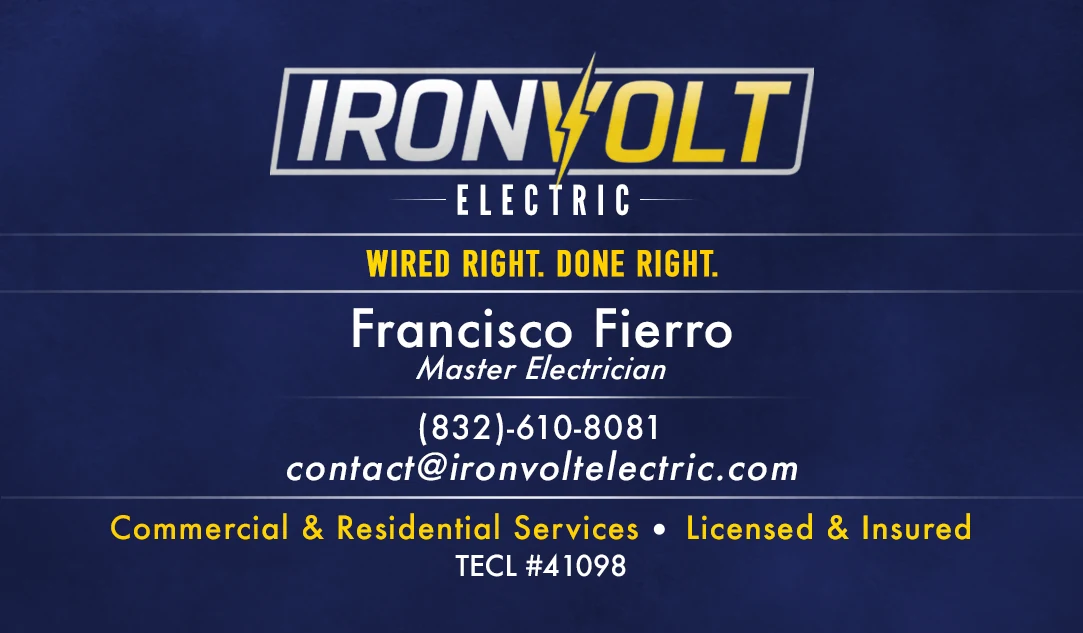
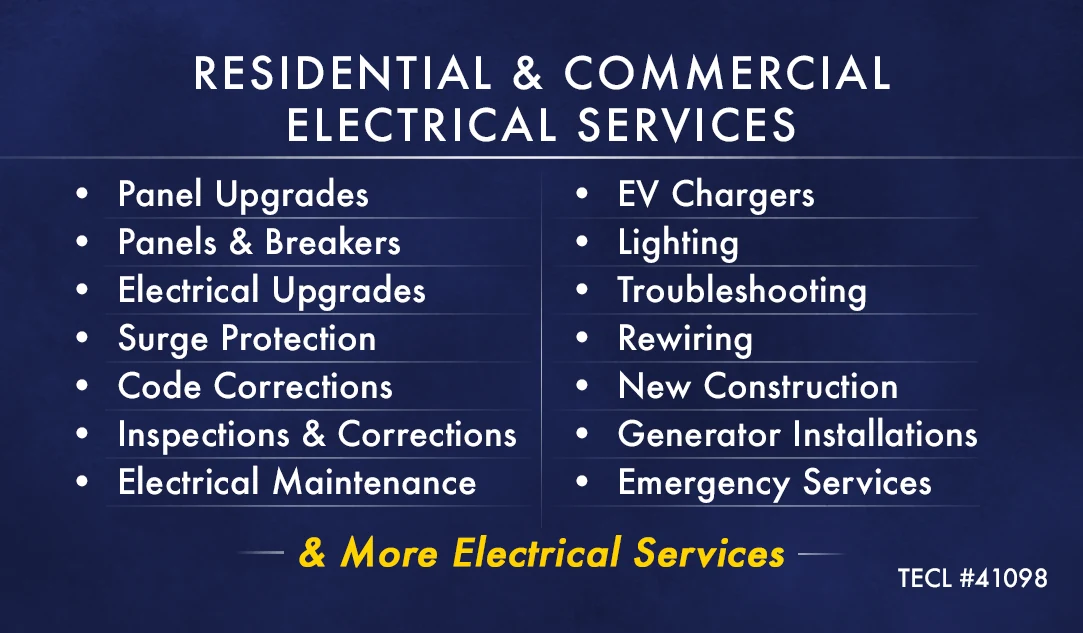
The business card is the brand’s one print piece, and the clearest example of it applied. Brand files
- Background
- Iron Volt Navy, subtly textured
- Logo
- Primary, centered at the top
- Tagline
- DIN Condensed Bold, Print Gold
- Text
- Futura Medium, white; gold for the service line
- Rules
- Thin white lines between groups
- License
- TECL #41098 on both sides
12
Open items
Places where the brand files and the website disagree, or where something is missing. Each needs a decision rather than a guess.
- Two golds, two navies. The logo uses Volt Gold #EBC81A and the card Print Gold #FFD200; the website uses a warmer #E8A020. The logo’s navy is #19214C; the website’s is a near-black #060E1A.
- Tagline style. The card and emails set it upright; the website sets it in italic.
- Phone number format. The card writes (832)-610-8081; the website and emails write (832) 610-8081.
- No vector logo. The brand folder has PNGs only. Large signs, vehicle graphics and embroidery need an SVG, AI or EPS master.
- No print color values. There are no CMYK or Pantone values for printers; the business card was set in RGB.
13
Downloads
Web-sized PNGs with transparent backgrounds. Full-resolution originals are in the Iron Volt brand folder.
| Version | Works on | Download |
|---|---|---|
| Primary logo | Dark backgrounds | PNG |
| Primary, navy fill | Dark backgrounds | PNG |
| Primary, for light backgrounds | Light backgrounds | PNG |
| Open | Dark backgrounds | PNG |
| Open, gold rules | Dark backgrounds | PNG |
| Wordmark | Dark backgrounds | PNG |
| Wordmark, navy fill | Light or dark | PNG |
| Badge | Light or dark | PNG |
| Badge, contained | Light or dark | PNG |
| Badge, outline | Dark backgrounds | PNG |
| Badge on navy tile | Light or dark | PNG |
| Bolt | Dark backgrounds | PNG |